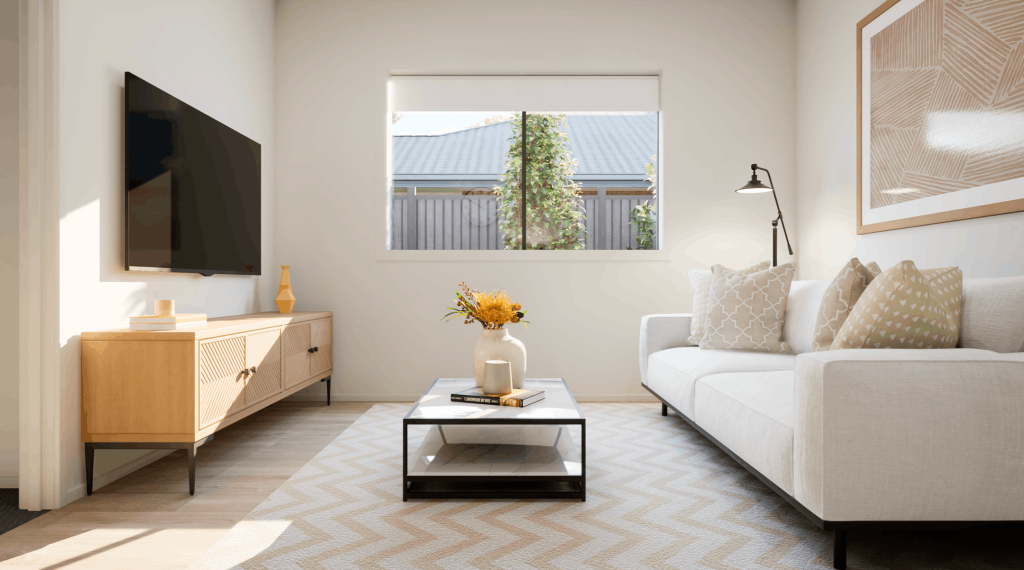

Most homebuilders have a render agency they trust, who provides consistent output, reasonable turnaround, good quality assets for campaigns and listings. But renders only answer one question: what does this home look like from the chosen angle? The homebuilding journey asks several more, and the builders converting faster, selling more upgrades and running leaner are the ones whose digital tools can answer all of them.
Static assets show a home. Interactive experiences sell one.
The difference between them is less about visual quality and more about what a homebuyer can actually do with it.
| Static render | Interactive experience | |
| What it shows | One fixed configuration | Every option, in real time |
| What it requires from the homebuyer | Imagination | Exploration |
| Where it works best | Awareness and campaign creative | Attraction, engagement, consideration, selection, and close |
| Can homebuyers compare options? | Yes, but each variation requires a new asset – adding cost, turnaround time, and agency dependency | Yes – instantly, in the same session |
| Does pricing update with selections? | No | Yes |
| What homebuyers take away | An image | A personalized brochure, image pack and video of their selections |
| Where questions end up | In your sales team’s inbox | Resolved in the session or consultation |
Where render-only strategies stop working
Renders do their best commercial work at the top of the funnel – campaign creative, website imagery, social content – but most of the commercial value in homebuilding sits further down: conversion, upgrade sales, Design Studio selections, and post-contract confidence.
The further a homebuyer moves through the journey, the more clearly the limits of static assets show up:
- A homebuyer wanting to select different elevations and floor plan options and see which options work well together
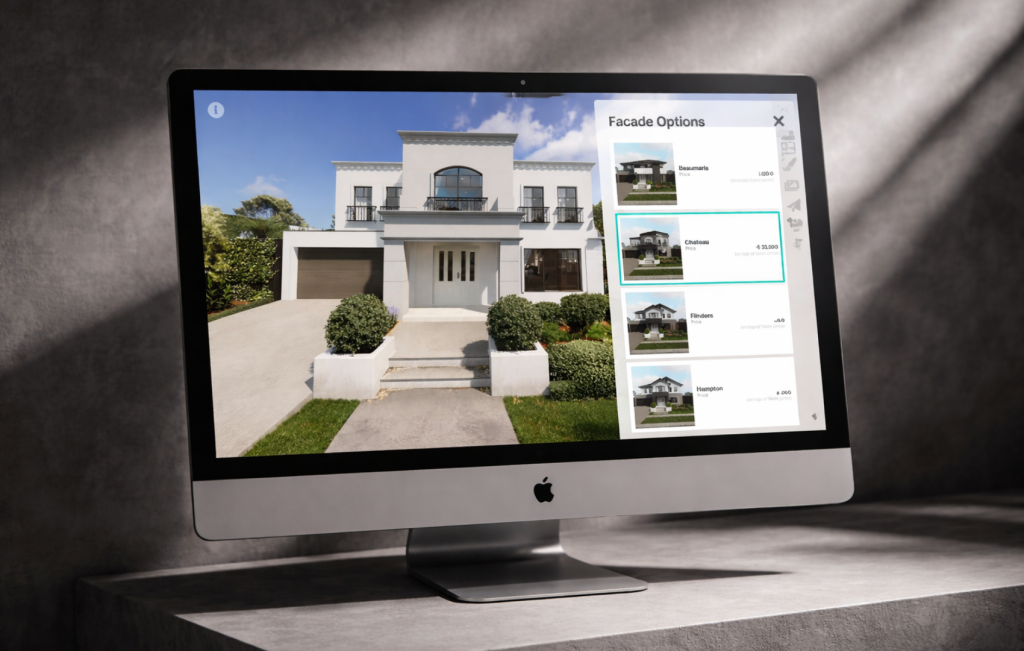
- A homebuyer ready to compare facade options needs something to compare
- A homebuyer weighing an upgrade needs to see it in context, in their home, with the cost visible
- A homebuyer entering a Design Studio appointment without prior exposure needs to be educated from scratch – expensive in consultant time and hard on homebuyer confidence
Producing a render per configuration is not a solution – it multiplies cost, slows turnaround and still delivers a passive experience. Homebuyers receive images rather than reaching decisions, and every question left unanswered becomes a follow-up conversation your sales team has to have. Converting interest into commitment requires more than a well-produced image.
What interactivity actually does for your business
The case for interactive platforms is not only aesthetic – it is operational and drives better commercial outcomes as well. When homebuyers can genuinely explore a home rather than view it, the effects show up across the entire sales process.
- Better qualified leads: homebuyers who explore a home interactively self-qualify as they go, arriving at consultations with clearer preferences and more genuine intent.
- Faster conversions: when homebuyers have already explored the home in depth, the sales consultant’s role shifts from educator to closer. Layout comprehension, option awareness and budget orientation are all established before the conversation starts.
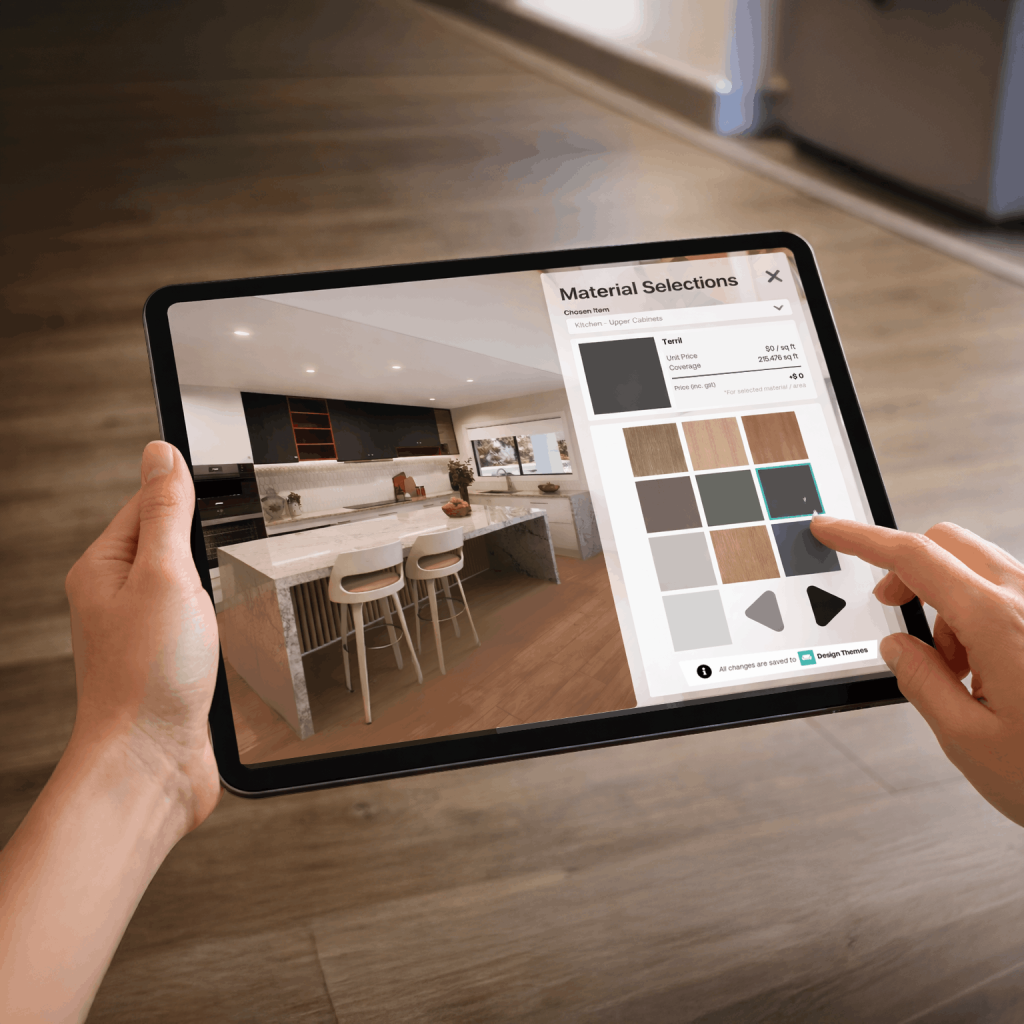
- Higher upgrade uptake: homebuyers don’t upgrade what they can’t visualize – not because they don’t want to, but because they’re not confident enough to commit. When upgrades are selected and visualized in the 3D environment with the chosen color scheme and price updating immediately, the decision becomes concrete rather than abstract.
- Brand differentiation: in a market where builders compete on similar plans at similar price points, the experience of researching and selecting a home becomes part of the product. A homebuilder whose digital presence lets homebuyers genuinely explore and personalize their future home communicates quality and professionalism that no brochure can replicate.
Questions worth asking any visualization vendor
Not all interactive platforms are built equal – some are render galleries with a navigation layer. These questions separate specialist platforms from polished demos.
| Question | Answer |
| Does pricing update in real time as selections are made? | Indicative pricing as selections change is what lets homebuyers make financially informed decisions without involving your sales team. Without it, every selection still requires a follow-up conversation. |
| Can homebuyers explore structural variations – not just finishes? | Facade swaps and color options are the minimum. A serious platform lets homebuyers compare floor plan options, ceiling heights and kitchen configurations, fixtures and finishes all in real time. |
| What can homebuyers take away after a session? | If the session produces nothing – no personalized brochure, no image pack, no video of their selections, no selections summary – it exists only in the homebuyer’s memory. Session outputs are part of the conversion architecture. |
| How does the platform connect to your existing systems? | A configurator that doesn’t communicate with your CRM, Design Studio workflow or operational systems creates a new data silo rather than reducing one. Integration determines whether the platform adds to your team’s workload or reduces it. |
| Who controls the catalog? | If every material or pricing update requires a vendor ticket and a multi-week wait, the platform is as operationally slow as the agency it was supposed to replace. Self-serve catalog management is what separates a product from a dependency. |
The minimum viable feature set for a platform worth evaluating
Most platforms claim to do the same things – but these are the capabilities that actually determine whether a platform does real commercial work across your marketing, sales and Design Studio teams, or whether it is, in effect, a better-looking render.
- Elevations and floor plan options: homebuyers need to compare real design decisions, not color variations of a single configuration. Floor plan alternatives, elevation options and structural variations should all be interactive in a single session.
- Real-time pricing: every selection should update a running cost figure. Without this, the platform cannot support the financial decision-making that drives upgrade uptake and reduces late-stage changes.
- Session outputs: personalized brochures, image packs and recap content generated from the homebuyer’s actual session. These are what homebuyers share with partners, return to before appointments and continue to reference with excitement throughout their homebuying journey.
- Analytics: visibility into which designs attract the most engagement, which upgrades convert and where homebuyers drop off. This is product and sales intelligence, not just a marketing metric.
- Role-based access and self-serve administration: sales consultants, Design Studio teams, administrators and homebuyers should each have a distinct experience within the same platform. Catalog updates and user management should require no vendor involvement.
- CRM and system integration: homebuyer engagement data and selection activity should flow into your existing sales and operational systems via API, not require manual export and re-entry (unless you need it to).
- A platform that delivers all of these is not a visualization tool. It is a sales, marketing and Design Studio tool that also produces photorealistic experiences – and that distinction is what separates platforms worth evaluating from render agencies with a configurator added on.
This is where most builders leave money on the table
The question for homebuilders is not whether to use renders, as they remain a core part of campaign creative and digital marketing.
The question is whether your digital strategy ends at awareness – at showing homebuyers what a home looks like – or whether it extends into helping them decide, select and commit. A render library answers the first; a serious interactive platform answers all of them. If you’d like to see what that looks like in practice, book a 20-minute demo with Away Digital Home.